How to Prompt Generative AI Tools – For Novices
If You are seeking a specific tutorial subject on this site, please search below
👇
1. The Core AI Prompting Formula
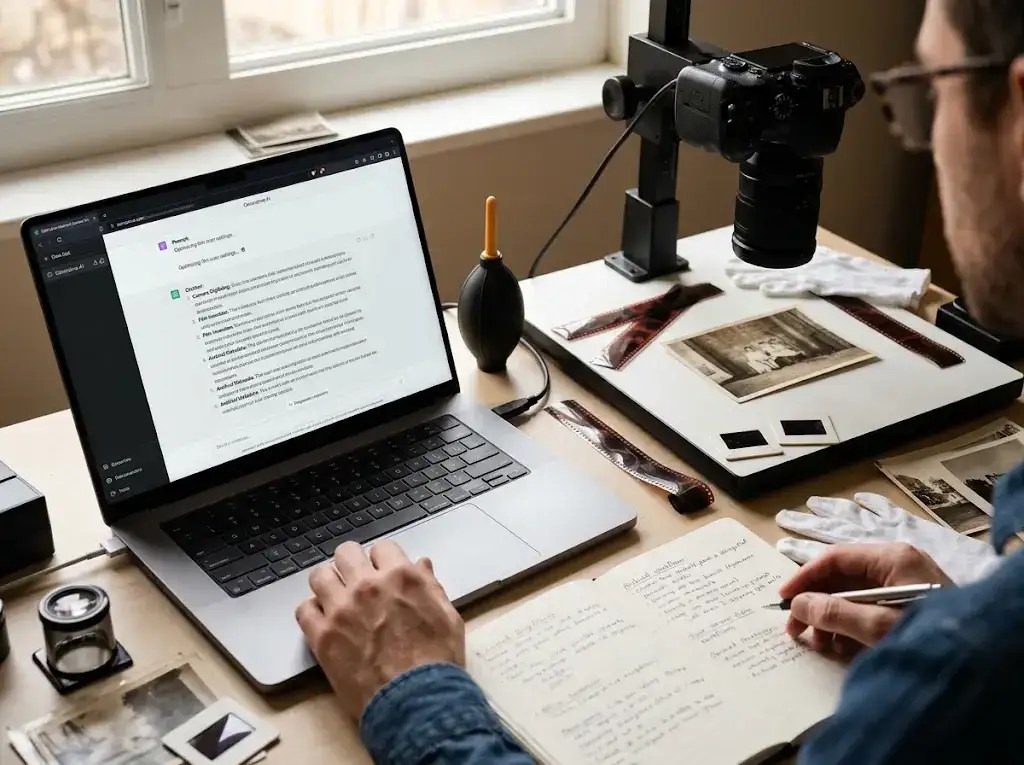
Generative AI tools like ChatGPT, Claude, and Gemini can act as instant, knowledgeable assistants for photo archival projects. However, asking a broad question like “Why do my scanned photos look bad?” often yields vague or inaccurate answers.
AI models thrive on specificity. To get precise, practical solutions for camera digitizing, film inversion, and archival metadata, you need to provide the correct context and technical terms. This guide explains how to construct effective AI prompts and includes practical templates tailored for film capture and digital preservation.
This site, camera-digitize-archive.com provides 65 comprehensive tutorials on camera digitizing, post-editing, metadata and archiving – but if you still need more help – turn to AI. To get the most actionable advice from an AI model, format your query using four key components:
Role + Hardware/Software Context + Specific Issue + Output Format
- Role: Assign the AI a clear persona (e.g., “Act as a digital photo preservation specialist…” or “Act as an open-source photo processing expert…”).
- Context: Specify your exact gear, operating system, and software versions (e.g., mirrorless camera, macro lens, copy stand, LED panels, darktable, digiKam).
- Specific Issue: Describe the visual artifact, physical limitation, or software roadblock using accurate technical terminology.
- Output Format: Request step-by-step diagnostic checklists, prioritized slider sequences, or code/command examples rather than broad explanations.
2. Practical AI Prompt Templates
Category A: Hardware Setup & Optical Troubleshooting
When setting up your copy stand, adjusting lights, or controlling reflections, use these prompts to diagnose physical capture problems.
1. Eliminating Specular Glare on Glossy Prints
Prompt:
“Act as a reprographic photography specialist. I am digitizing glossy 8×10 print photographs using a mirrorless camera mounted on a copy stand, equipped with a macro lens aimed at a strict 90-degree angle to the baseboard. I am using dual LED light panels placed at 45-degree angles. I am noticing glare along the top edge of my captures. What adjustments should I make to my light positioning, polarizers, or lens hood to eliminate specular reflections without losing detail?”
2. Troubleshooting Edge Softness and Field Curvature
Prompt:
“Act as an optical test engineer. I am using a macro lens at 1:1 magnification on a copy stand to digitize 35mm film negatives. The center of my frame is sharp, but the top-right corner is consistently soft. Provide a 4-step diagnostic checklist to determine whether this is caused by sensor-to-baseboard alignment issues, aperture choice (diffraction vs. depth of field), or film flatness.”
Category B: Open-Source Post-Processing & Film Inversion
AI models can quickly guide you through complex inversion modules and post-editing workflows if you specify the exact software tools.
3. Inverting Color Negatives in darktable (Negadoctor)
Prompt:
“Act as an open-source raw processing expert familiar with darktable. I am inverting 35mm color negative film scans using the Negadoctor module. My highlights retain a stubborn cyan color cast after taking a sample of the unexposed film base. What exact sequence of adjustments should I make across the Film Properties, Correction, and White Balance tabs to neutralize the cast while preserving shadow detail?”
4. Managing Dynamic Range and Highlight Recovery
Prompt:
“Act as a digital imaging specialist. I am capturing high-contrast 120 medium format negatives exposing to the right (ETTR). When importing the raw files into my editing software, the bright sky highlights appear clipped. What steps should I follow to adjust exposure, tone curves, and local contrast to recover highlight detail without introducing noise into the dark shadows?”
Category C: Metadata, Cataloging & File Management
Structuring digital archives requires consistent metadata standards and clean organizational structures.
5. Establishing Portable IPTC/XMP Metadata Schemes
Prompt:
“Act as a digital archivist specializing in family archives. I am cataloging 1,000 digitized photos spanning from 1920 to 1980 using digiKam. Recommend a standard IPTC metadata schema for embedded XMP sidecars. Explain which fields (such as Date Created, Location Created, Description, and Rights) are critical for long-term portability across different Digital Asset Management (DAM) software.”
6. Structuring Archival Directory Hierarchies
Prompt:
“Act as an archival data manager. I am setting up a storage hierarchy for a multi-format physical collection containing slides, film negatives, photo albums, and cased prints. Recommend a non-destructive folder hierarchy and file naming convention based on containers and physical identifiers rather than subjective image content.”
3. Why Simple Metadata Wins for Beginners
When you start digitizing a lifetime of family photos, it is easy to get bogged down trying to fill out every available metadata field. Detailed tags like camera serial numbers, precise GPS coordinates, or ISO codes sound useful, but they quickly turn archiving into an exhausting chore.
The secret to a sustainable workflow is keeping it simple:
- Prevent “Archivist Fatigue”: The best metadata system is the one you actually finish. If tagging a batch of 50 slides takes hours, the project will stall.
- Focus on the Core 3 Locations: Stick to City/Town, County/State, and Country. That is more than enough detail to search and group family travels or ancestral home towns years down the road.
- Prioritize the Essentials: Broad date estimates, primary location names, and a few family names will give you 90% of the searchability with 10% of the effort.
Start light. You can always add finer details to specific photos later, but getting the core information embedded across your entire collection first is what keeps your archive usable—and your project moving forward.
4. Common AI Pitfalls & How to Avoid Them
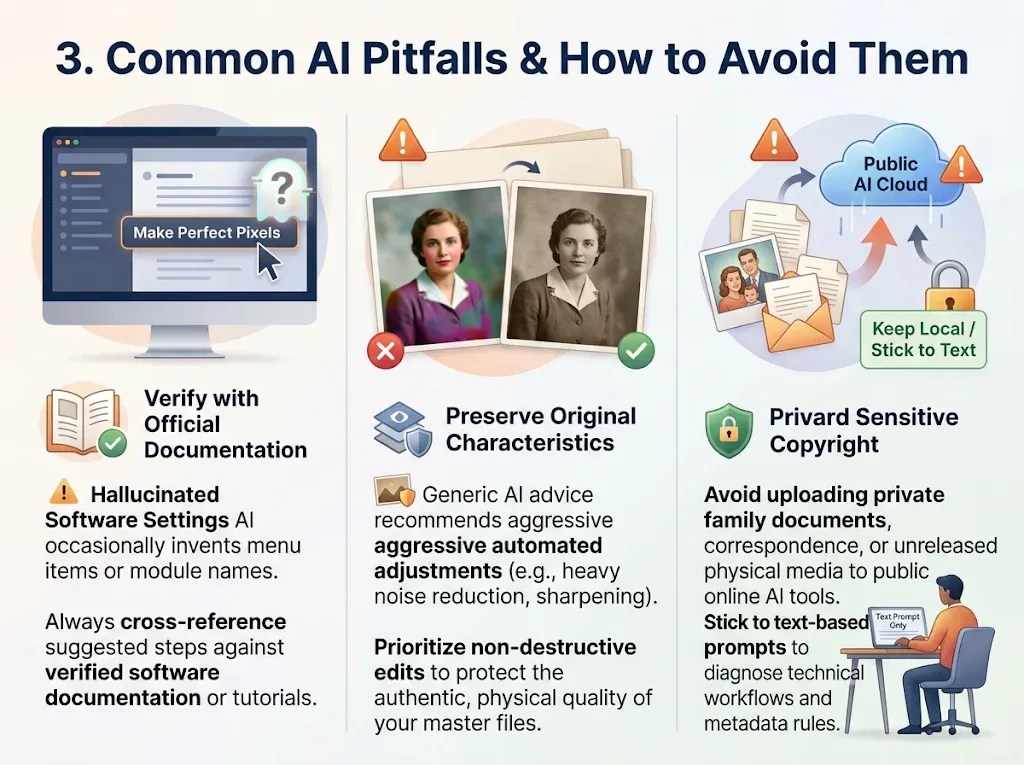
- Hallucinated Software Settings: AI models occasionally invent menu items or module names that do not exist in specific software versions. Always cross-reference AI-suggested steps against verified software documentation or detailed technical tutorials.
- Over-Processing & Destructive Edits: Generic AI advice often recommends aggressive automated adjustments, such as heavy noise reduction, automated sharpening, or AI colorization. For master archival files, prioritize non-destructive edits that preserve the authentic physical characteristics of the original media.
- Privacy and Copyright: Avoid uploading private family documents, sensitive correspondence, or high-resolution unreleased physical media to public online AI tools. Stick to text-based prompts to diagnose technical workflows and metadata rules.
Summary
Generative AI tools are excellent for troubleshooting complex steps, generating metadata structures, and diagnosing technical issues during camera digitizing. By applying a clear prompting structure—specifying your hardware, software, and exact problem—you can get accurate answers tailored to your digitization setup.

To build a professional and sustainable archiving workflow, start with these essential guides—carefully sequenced in order of importance.
- Camera Scanning- Archive Structure & Priorities
- Camera Scanning Guide: The Essential Equipment Required
- Camera-Digitizing Mistakes That Ruin Your Archival Quality (And Fixes)
- The Ultimate Guide to LED Lighting for Camera Digitizing
- Polarizing Sheets & Lens Filters for Camera-Digitizing
- Unlocking the Hidden History on the Back of Family Photos
- Camera Digitization: Tethered Shooting Explained
- The Beginner’s 3-2-1 Guide to Secure Digital Photo Archive Backup
- Achieving Professional Color-Accuracy with Input Profiling
- Vintage Media Preservation and Storage
- FADGI Compliance for Amateurs: The FADGI-Lite Guide
- A Guide To Archival Digitization: 8 Critical Steps Often Overlooked in Digitizing Tutorials
- How to Safely Clean Precious Film
- Still Naming Vintage Photos Based On Image Content?
See Also – DAM Software vs. Cloud Hosting: Choosing the Right Tool for Your Photo Archive
Confused by any technical jargon in this guide? Check out my [Full Jargon-Free Glossary] to get clear, simple definitions of all the archiving terms used here.
[Home]
External Links
1. Archival Digitization Standards
- Link: The National Archives: Digitisation Guidance & Photographic Standards
- Why it’s relevant: As the official UK record repository, The National Archives sets the benchmark for digitizing physical collection items. Linking to their standards provides authoritative backing for technical requirements like uncompressed capture formats, minimum optical resolutions, and baseline file-naming protocols.
2. Camera-Scanning Technical Workflows
- Link: VALOI Technique Guide: How to Scan Film with a Digital Camera
- Why it’s relevant: VALOI’s comprehensive workflow guide breaks down physical copy-stand alignment, sensor-to-stage parallelism, backlighting requirements, and film planarity control. It serves as a practical, technical reference for readers who need to understand the physical hardware variables before asking AI tools to diagnose capture issues.
3. AI Prompt Engineering Frameworks
- Link: Luma AI Image & Technical Prompting Guide
- Why it’s relevant: Prompt engineering relies on explicit visual and structural descriptors (lighting geometry, camera angles, color science, software parameters). Linking to a structured prompting reference demonstrates to readers how major AI tools parse technical context—showing why specific inputs (like specifying software tools or lighting angles) yield dramatically better solutions than broad queries.


I welcome comments and questions